Category: Personal

  • When is now?

    As I’ve mentioned in previous posts, post radiation treatment for prostate cancer (I”m doing okay so far; as always, we keep monitoring), I’m having a little trouble emptying my bladder completely, so my urologist has put me on a “timed evacuation schedule”, or “go pee every two hours”.

    [Side note: prostate cancer is a very undignified disease. I have had many ultrasound probes in my bum, injections right below my scrotum (and the experience of exam stirrups — you have my sympathies if you go to a gynecologist)…talking about urinating on a schedule is mild.]

    Now for a human being, that’s seems like a simple directive. You get up in the morning, go pee, wait around two hours, pee again, and so on until you go to bed, with whatever else is going on and life happening as usual. Repeat.

    As I have mentioned, however, I am extremely time-blind, so having something remind me (and track my compliance) is very useful. Trying to turn “every two hours” into a flexible algorithm, however, is non-trivial.

    The medical basis

    First, let’s break down what the urologist really means and wants you to do when they say, “I’d like you to start urinating every two hours”. There’s quite a bit of literature on the subject of timed voiding, and I’ll post a few links here as a starting point.

    References

    The summary of what the doctors have to say is that there are two different situations that interval-training your bladder is useful for.

    • If you go too often, then we want to calm down your nervous system and get it used to waiting longer to go [Wyman 2009]. So the goal is making it all the way to the two-hour mark before going, and getting the patient used to holding it longer. For them, early is worse.
    • If you don’t go often enough, the situation is quite different. In this case, you’re trying to prevent the bladder from getting too full and stretching the detrusor muscle, which is the one that contracts to empty the bladder. Overstretching it makes it weaker, and it therefore has a harder time contracting enough to completely empty the bladder.

    Underactive patients may go earlier than their two-hour mark, especially if they know they won’t be able to go exactly then, to keep the detrusor from getting overstretched.

    For them early is okay, but going too often can make the bladder shrink and cause it to get overactive. Trying to prevent missing the mark is more important than strict adherence to a preset schedule.

    Translating this to an algorithm

    You will no doubt notice that a lot of words in those detailed descriptions are extremely approximate. “Go every two hours” is sort of the Platonic ideal of timed voiding, and is not what can happen, or needs to, in the real world. Sleeping and waking, appointments, driving places, etc. all serve to push people off that perfect schedule.

    We therefore have to devise a way to come as close to the “every two hours” ideal as possible with a monitor that can flex where it’s appropriate, and be hard-nosed where it isn’t. The actual logic of this is quite complex!

    We start with the primary rule: the next event should be two hours after the last time you went.

    If you missed the window (extra early, or more than 10 minutes late), then we adjust the next scheduled time to be 2 hours on from the last time you went.

    There need to be quiet hours: these allow you to sleep. There are no alerts during quiet hours, and any events during quiet hours are excluded from the schedule calculations, though they are recorded. (If you had to get up and go three or four times, that’s useful for the urologist to know.)

    We assume that the end of the quiet hours starts a day.

    By experience, we determined that days may need to have a soft start.

    A hard start decides that the end of the quiet hours is start of a new day, and the first interval begins then.

    A soft start assumes a buffer around the time that ends the quiet hours. An event in that timeframe is saved; the user chooses whether it’s the actual start time by indicating that they’re up and starting their day, effectively doing a hard start from that point.

    The user can also say they’re going back to bed. If that happens, then the interval is just saved as an extension to quiet hours, and the day doesn’t officially start until the next event where the user selects “I’m up”. If they log an event in the quiet hours buffer but don’t select “I’m up”, the day officially starts anyway exactly one interval after the last event recorded in the quiet hours buffer (or at the end of the quiet hours buffer if no events were recordedin the buffer). If more than one event is recorded during the quiet hours buffer, the latest one is chosen as start of day.

    During the day, regularity is more important that an exact clock time, so each event has a compliance buffer. 15 minutes before to 10 minutes after the scheduled event, if an event occurs, it’s counted as the scheduled event, and we schedule the next one from the current scheduled event time. Example: event time is 1pm; an event anywhere from 12:45pm to 1:10 pm counts as 1pm.

    If the event is recorded outside that buffer, we reset the clock to calculate event scheduling forward from the event instead of the schedule. For instance, if again, the event is scheduled at 1pm, but you go at 12:25pm before going out shopping, the interval resets, and the next scheduled time will be 2:25pm instead of 3pm. Equally, if you didn’t go till 1:20pm, the interval would reset, and the next interval would end at 3:20pm instead of 3pm.

    There is a surprising amount of complexity in being flexible.

    Yummy, yummy dogfood

    Interestingly, most of this had to be derived by living with the app and discovering what worked and what didn’t.

    • First cut: two-hour fixed alarms, quiet period, hard day start
      • variability in needing to go while starting led to feeling pressured to try to go extra early — this actually is medically contraindicated!
    • Second cut: drift intervals – switched to recording the event, and always resetting the next interval to start at the current void event
      • this was super easy to live with, but led to a wild variance in interval lengths, almost defeating the idea of being on a schedule at all.
    • Third cut: back to fixed intervals, add buffer
      • kind of okay; the buffer allowed the schedule to not be too restrictive, but there were still occasional situations where the event was missed by a half-hour or 45 minutes, and then the next event followed on too quickly
      • had a day where I woke in the middle of the night and couldn’t get back to sleep, and the app started pinging me at 7am, not long after I finally did go to sleep
    • Fourth cut: allow soft day start, with the app not alerting until either an event was posted during the quiet hours buffer, or after a full interval elapsed after the end of the quiet hours (or the latest event in the quiet hours buffer)
      • Almost right. If sleep was irregular — early up or slept in — I could choose to say “going back to bed” even if I had an event in the quiet hours buffer and not have sleep interrupted until quiet hours plus one full interval and a bit
      • It was possible to wake up early, decide that I wasn’t going back to sleep, and start the day then.
      • Still the problem with extra-short intervals if I delayed from the fixed schedule. Led to consistently going late to even up the intervals, defeating the purpose of a schedule at all
    • Fifth cut (current): restore the floating intervals and use the event buffer at intervals. Combines being flexible about start of day and adds a flex around the intervals too; an early event to avoid having to make a stop on the road didn’t reset the interval if it happened in the event buffer.
      • I’m testing this version now to see if it stays unobtrusive enough to proceed forward with it

    Other items

    Getting the live activity working properly was a pain, but it’s really nice to get an alert, tap live activity, and have it seamlessly open the app and record the event, or take me to the dashboard so I can say yes or no to “are you getting up?”.

    Making it pretty will be necessary if I decide this is worth releasing on the App Store. Right now it’s very basic SwiftUI: functional, but not a lot more. Which is appropriate for testing, but some serious thought needs to go into art: a color scheme, a much better icon, etc.

    Also need to figure out what would be useful for my urologist to get in terms of a report.
  • Writing as Music

    I subscribe to Recommendo, a mailing list from Kevin Kelly and Mark Frauenfelder. I used to read Boing Boing a lot for interesting stuff; I just took a peek and it’s mostly trivia now. Admittedly, some is interesting. (The sea permanently changing color in 1907 was a new one.) Generally, it hasn’t had much for me of late.

    Recommendo reminds me of the Whole Earth Catalog: intriguing tools and sites, Useful things. So I keep that one going.

    And in particular, the site Text As Music was a great find.

    You take a sample of your writing, paste it in, and it tells you what the statistics are, in terms of sentence lengths:

    • Micro: Very short. One or two words.
    • Short: Less than five, more than a couple.
    • Five: Well…five.
    • Medium: My best guess is that these are less than ten words.
    • Long: my usual elliptical blithering with parentheticals, asides, and dependent clauses.

    The idea is that your text should have a variety of sentence lengths. Tiny. A bit longer, still short. Sentences that stretch out a bit. And the indulgent, let’s-ramble-a-little, longer sentences, that tease out more of a thought.

    I’ve tried a few of my blog posts from here and okay, I am not a short-sentence guy. Most of mine are mid-size or long. I will blame my eighth-grade English book for all the frowning it did at sentence fragments. Which are useful, so there.

    And I am someone who likes musical prose, so seeing the long stretches of long sentences made me think, Okay., Punch it up some, huh? You do not need to Molly Bloom the hell out of every thought.

    So I’m going to go ahead and write as I do, but then look back over it and see where I can make those breaths and pauses. Where I can land a thought. Be terse, where it works.

    I think I learned to write in an academic setting more than anything else, and a long, well-rounded sentence that covers all the bases and properly excuses itself having the temerity to have like, an opinion, is a commonplace. So, no.

    I will be having short ones. And the long ones, too, still a place for those; but this is definitely a think to think about. Much appreciated!

    (And yes, there’s a “have AI improve your rhythm” prompt on that page, but I want to learn to play the drums. I don’t want a drum machine.)

    Tried it for this post; it’s definitely an effort! (I do get credit for short sentences when I use semicolons. Small blessings, I guess.)

  • Checkpoint

    A quick summary of a bunch of stuff I’ve done lately.

    • Developed a new special interest: the LGP-21. A real physical one was just recently revived by Usagi Electric, and his watchers have created a simulator and toolchain for this remarkable old machine — remarkable in that despite its relative primitiveness, the programmers for that machine back in 1963 created some impressive software for it.
      • Wrote some extensions for the lgp21-tools assembler: a test suite, and a macro facility (which may not get merged, but I can use it im my copy)
      • Ported a couple of BASIC computer games to the LGP-21, including good old WUMPUS, BAGELS, and an implementation of Steve Jackson Games’s Zombie Dice.
      • Translated the German LGP-21 Subroutine Manual (nowadays we’d call it the Software Library or somesuch) into English in LaTeX markup. (Learned a fair amount of LaTeX in the process. Like it!)
    • Continued working with the timed-voiding app. Working pretty well now, with over a month of data recorded. Added data export today (working) so it can be analyzed by the LLM of your choice, and currently continuing to refine it. It may make it to the App Store sooner or later.
    • sd1diskutil continues to evolve; between Sojus and I, we may have killed the final bug in the library, and it looks like it fully supports all file types.
    • Car research tabled for the moment.
    • Felt a little uncomfortable implementing Zombie Dice for the LGP-21. Admittedly we have an installed physical user base of exactly one machine, and maybe a half-dozen people who might try running it on the simulator, but it’s still a registered trademark of SJG. So I thought up a new game altogether that turned into a combination bidding war and Zombie-dice-like press-your-luck game. Rules complete and a tentative deck of cards made up, but I need to playtest it to see if it’s actually anything before trying to program it. It reminds me a LOT of the Cheapass games of yore.
    • Surgically removed the Chrome 4GB model download.
    • Big data storage cleanup, still ongoing.
    • Found out I’m still missing a bunch of music from my iTunes library. May re-up the iCloud Music library to recover it. Which will mean Yet Another iTunes library Merge. Song Sergeant does a great job cleaning up after one of those.
    • Did a lot of spreadsheets for changing investments in the current economic situation. Too specific to post about.

    Probably more, but that’s what I remember.

  • Bladder training app progress

    I’ve gotten to a decent beta at this point, and I’m eating my own dogfood: my urologist put me on bladder training with a two-hour interval, so the app is set up with that as the default interval.

    I’ve been testing it as I go along and added a few things that I needed:

    1. Custom alert sound. I get enough alerts that I need it to sound different than the others. I’ve got a nice water-drip noise, distinctive but not obtrusive, that fires when the interval is up.
    2. The process is not loads of fun, so I’ve added a little whimsy to the alert messages.
    3. I’ve got a live activity so I don’t have to unlock the phone to reset the interval when I go.
    4. Added quiet hours so it doesn’t ping me every two hours when I’m trying to sleep.
    5. Explanatory “why the hell are we doing this anyway” text. Okay, I don’t need that, but it’s useful for someone to refresh their memory, or to get an explanation of why we’re doing it if their urologist has said, “make sure you pee every two hours.”

    Running with this version a while to see what else it needs. Will look into art and design after it’s functional.

  • Not an app I thought I’d need, but here we are

    So one of the things that can happen after prostate cancer radiation treatment (and I note that I don’t think I’ve written a post about that — I suppose I was a bit distracted at the time) is that you can develop what’s called a stricture, ot narrowing, of the urethra from scar tissue forming.

    This can cause you to not completely empty your bladder when urinating, and that can cause your kidneys to back up and get stressed.

    You do not want to stress your kidneys.

    My urologist tells me, “Okay, we need to make sure you’re getting your bladder emptied as much as possible. I want you to go pee every two hours, whether you feel like you need to or not.” Which doesn’t seem like such a big deal, except that I am, as I have noted, somewhat ADHD, and if hyperfocus kicks in, I am very likely to get caught up in something for hours at a time, only dimly realizing that I’m tired/hungry/thirsty/need to pee.

    I could manually set myself alarms every two hours but that would be a pain to set up, and a pain to disable if I needed to. So I’m writing myself an app to do it.

    It pings me every two hours to remind me it’s time to go; if I do so early, it resets the next interval to two hours from that point. If I don’t respond, it keeps bugging me until I do.

    That’s the basic idea; I’m fairly sure I’ll want to add on to it (the process of writing this post reminds me that I really do want to be able to put it in vibrate-only mode when I’m, say, at a concert), but I’m going to get the basic version done and live with it for a while.

    No idea if this is common experience, but if it is, I’ll definitely put it out on the App Store.

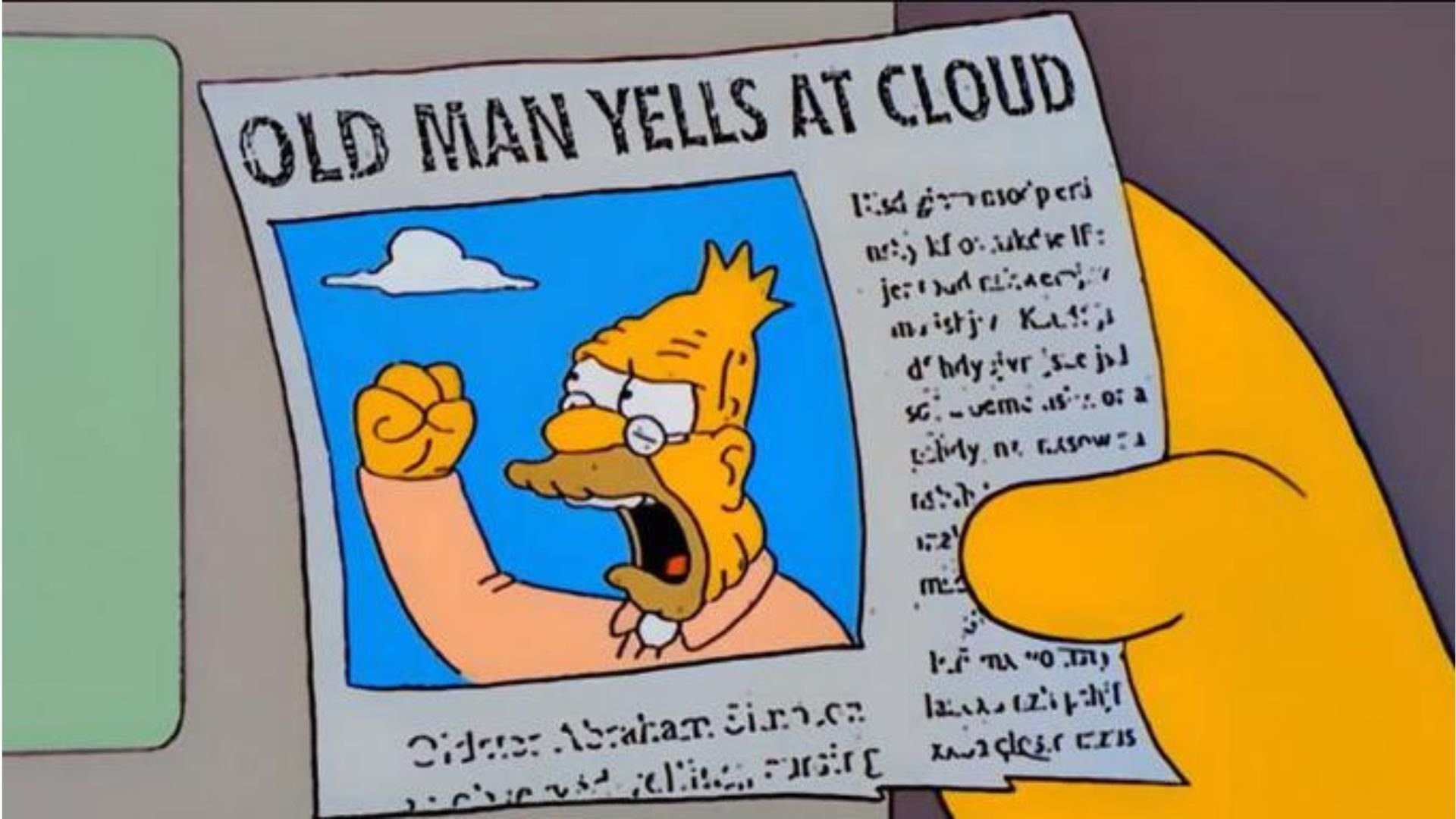
  • Old man yells at cloud, redux

    I wrote about whether the cloud is a long-term safe option for your data a while back, and this article has brought me back around to thinking through that again.

    I think it’s important to realize that many of us (certainly I have) become heavily dependent on cloud services for extremely important things. Not “break the bank, on the streets” important but “huge sections of my memories not safe” important.

    [Edit: we also now have the unfillable maw of LLMs; every cloud data storage is a potential set of training data for people who have decided that copyright is something that poor people (i.e., anyone not a billionaire) have to worry about, and that unless you make them stop, they will just use your files.]

    I am not dissing cloud services just because they are cloud services. I am looking at them again in a more jaundiced light because they are not services in the sense of “there is something wrong, and I can talk to someone and sort this”.

    All cloud services hang a sword of Damocles over your head.

    If you somehow trigger their automated systems, they will deny you in a flash, and the chances that you will ever be able to resolve the problem are near zero, unless you are a major source of income for them (and we’re talking millions of dollars of income, not something a typical person-in-the-street can generate) or have friends in high places: either someone inside the walls who “knows a guy” or a large and public means of embarrassing them for doing something blatantly stupid via automation.

    For instance, there have been large numbers of automated account closings on Facebook of late. People have had their accounts closed in the process of opening them. Yes, this is completely nuts. No, Facebook is not doing anything. Why bother? They have plenty of users now. Who cares if a few hundred or a few thousand people lose access? (Hint: it’s the people who’ve had those accounts and trusted Facebook with their data.)

    There’s the guy who uploaded pictures of his kid’s rash for his doctor to check on Google — and lost his account.

    There have been a number of folks who lost access to their Apple IDs, resulting in major financial losses, and because they created the IDs long before two-factor and have forgotten their questions and answers…are just screwed.

    Shymala and I have had a lot of frustration with Google and Squarespace dropping the ball on her Google Workspace connected to a .studio domain. The workspace is still currently AWOL. And Squarespace is getting 5 Benjamins a year, so it’s not like this is a free account and they don’t have to care at all.

    What all these have in common is trusting an external entity to have their bests interests in mind.

    Unfortunately, even if you’re paying for it (see Squarespace), you cannot trust that a cloud provider will not arbitrarily decide that you have violated some rule – which they will not often reveal to you, because security – and you’re just done, with no options.

    So in this post, I’m going to try to look at what cloud providers I’m using and what I could do to mitigate risks with that provider.

    Google

    The biggest risk here is email. I have several different accounts, some quite old with a lot of archived email, and a few that are simply convenience accounts that I use to sign into things.

    I also have a Google workspace for mail at the pemungkah.com domain, with a couple accounts set up there.

    Risks:

    • Losing access to my primary GMail would break logins for a lot of things. I have used “Sign in with GMail” a lot. I would also lose a lot of archived mail.
      • A search in 1Password tells me I have 439 accounts associated with my primary GMail. 60-ish are “signs in with GMail” for that account.
    • Losing access for my secondary would inconvenience me more than anything else, mostly because I wouldn’t be able to receive password resets or change-of-email confirmations. Some would be harder than others to recover.
      • 29 accounts associated with my music GMail.
    • Losing access to the Google Workspace would be a relatively minor issue; I haven’t used it for a lot. I’d have to set up new logins for some of my streaming accounts.

    Probably the best thing would be to move my mail to a custom domain. I have several that would do as a base domain, and I could just set up mailboxes for the alternate accounts. A self-hosted mail service would be better; there seem to be some reasonable alternatives but they’d need to be evaluated. Using ProtonMail or Tuta with my own domain is a middle ground.

    Apple IDs

    Losing my Apple ID would be costly monetarily and emotionally.

    • Only 4 non-Apple accounts depend on my Apple ID, and I could live if I lost access to all of them.
    • All of my photos are in iCloud. If I lost access to my Apple ID, i could concievably permanently lose access to those. I have backed them up to Google Photos (yeah, not great either).
    • I’d lose access to my Apple Developer account.
    • My Find My would be broken, leading me to have to scramble to rehome all my devices. Stolen Device Protection would make that much harder to do, but I sure don’t want to turn that off.
    • I use Find My Boxes to track where stuff is in storage. If iCloud locks me out, I can’t access that data anymore. (I have written an unloader script that converts that data to HTML, so I’m less screwed than I might be there.)

    Microsoft ID

    I use this for very little. If it went away I could set up another one.

    GitHub

    A pain in the ass, but recoverable. I could create repositories somewhere else.

    Dropbox

    I need to more deeply investigate this. We use Dropbox a lot for archiving stuff, and sharing data for Shymala’s writing and art. If we lost access, there’d definitely be some problems — some of the original art has been sold, and it’d be impossible to get prints of it anymore.

    Plans

    I need to move my primary email away from GMail alone. If it’s coming to a custom domain, I can just move the mail somewhere else. Proton or Tuta seem best; self-hosting is probably even better but incurs a lot more work for me to do, plus the hosting costs, or doing it locally. (See below for thoughts on that.)

    Once I have the new mail, I need to change everything that uses GMail login first, then work through the 400 other accounts in batches. Some are simply “fuck you” accounts for the idiots who use my mail, and I can simply forget they’re there and remove them. The rest I’ll move to the new custom domain.

    I can’t completely get rid of my Apple ID without losing iCloud and Apple Developer access, so I’ll set up a new Apple ID for the custom domain, and then migrate to it. The purchases on the old account will have to stay there, so I’ll set up a new Family account with the new email as the primary and add the old Apple ID as a secondary. I will add the new account to my Apple Developer origanizatin, and move all the responsibilities over to the new account, then start purchasing the Apple Developer access from the new account.

    For GitHub, I’ll want to fork everything to the new account and close the old one. (GitHub may have a “move account”; if so I’ll use it). I will want to self-host a Git repository that I can push to as well.

    Self-hosting

    It’s possible to host most of this stuff on a server either at a colocation site or on a box literally in the house with Tailscale. Cohosted costs extra money, but has the advantage that I could put it at (say) Hetzner and outside the US, given the current political climate. In-house is max control and possibly a lesser ongoing investment but I’d incur a dependency on Tailscale. Going to have to work out the numbers and decide about this.

    Summary

    My heavy dependence on one GMail address and Google in general is not great. I should move the pemungkah.com domain to somewhere else (handwave) and use a custom email instead of GMail, and change everything over to that from the GMail address at a minimum.

    Dropbox is going to be an issue, and I still need to make sure I have a way to really for-sure back that up.

    Everything else depends on the GMail move, so I will be concentrating on that over the next few months.

  • Email handling: a rant

    Okay, this is probably preaching to the choir for anyone who reads my blog, but I’ve just gone through a supremely frustrating experience with Hilton and I’m going to vent, because I can.

    This is also partially humor, and an excuse to repeatedly mention the name of the person who triggered all this. Enjoy, Lisa Neumann of Spearfish, SD.

    The triggering incident

    Back in the day, specifically 2004, when GMail was new – so new that you had to know someone who could invite you to it – I got my name as my GMail address, because, hey, I could! 20 years on in hindsight, I should have constructed an alias and used that, because people are idiots and companies are as bad.

    So why am I ranting today in particular? Because Lisa Neumann, of Spearfish, SD (yes, I am SEOing the hell out of good ol’ Lisa here) decided that she wanted to open a Hilton Honors account. And like any sane person, she picked a random email out of the air, in this case mine, and used that. I know I always want to enter things like my home address and name, and send those to some random person on the internet who I don’t know who can then sign me up for all kinds of mailing lists or do any number of other nefarious things based on knowing my actual physical address.

    Pardon me, my sarcasm sequencer is overloading.

    Specifically, she used a variation on my GMail address. I use a version with a dot in it; she used one without. GMail allows you to add periods to your address in any combination you like, so if your GMail address is firstmiddlelast@gmail.com, then you can use first.middlelast@gmail.com, firstmiddle.last@gmail.com, first.middle.last@gmail.com, etc. etc.

    All of these are the same email address as far as Google is concerned, and this is not news. GMail has implemented addresses this way since 2004. However, large segments of the software engineer population do not seem to have figured this out, twenty years later. The Hilton engineers in particular have not, or have said, “not our problem, we just have to push signups”.

    (I pause to note that I have no idea who Lisa Neumann is, that I have never been to Spearfish, South Dakota, and that she absolutely had no reason to think using my email address was a good idea. I will also note that if I ever am in Spearfish, I know whose address to go to, and which apartment to go knock on the door of, to ask, “What exactly was going through your mind, Lisa, when you made your home address known to some random person on the internet?”.)

    In my current case, Hilton committed not one but two sins:

    • They allowed a dot-variation of a GMail address to create a new account. (I personally already had a Hilton account.)
    • They did not validate email access. So Lisa Neumann (and yes, I really hope this ends up high in the Google hits for good ol’ Lisa Neumann of Spearfish, SD) uses a random-ass email and Hilton’s software says “hyuk, okee-dokee!” and creates an account.

    Why am I ranting about this?

    Because it is stunningly common practice. People use email addresses they don’t own all the time, and companes who supposedly want valid data don’t care.

    It’s nuts. I have mentioned before on this blog that most of the different Joe McMahons that use my email are idiots, because they know damn well that they don’t own my GMail account and will never see the mails. Apparently they don’t care that the password-reset emails go to the email that they entered, and don’t control. And I use them.

    (Have I reset the password on multiple dating sites, and uploaded a bio that says, “In addition to all stuff about that, I am not very bright, because I used someone else’s email, and he has locked me out of this account. No sweet, sweet love for me!”? Yes, yes I have. Did I enjoy it? Oh, very much so.)

    The mails I get tend to be one of the following:

    • Someone has typed “joe mcmahon” (not the email address, but the name) into the “To” field, and GMail has happily filled in the most likely email, i.e., mine. If it wasn’t someone actually writing me, it’s a genuine mistake, and I don’t count that in the “what are these idiots doing” category. This most often happens when folks in Ireland are trying to send mail to a construction company (It’s Patrick there, BTW, in case someone stumbles on this while trying to figure out why he’s not getting their mail — though I do usually send a “you probably have the wrong email” to those folks, as this is only marginally their fault. Google, if they’ve never written to this person, do you think you should really do that? Maybe mention that an address was assumed, and maybe they should verify it’s right? Naaaaaah.)
    • On the other hand, we have the Joe McMahons who sign up for things. Gym memberships. Dating sites. Porn sites. Ashley Madison (a particular favorite, Joe McMahon in Australia. Don’t think I forgot.) I don’t know exactly how to judge these, though my hunch is that these are people who think Google is Magic and just putting their name and google.com will somehow get the email fairies to deliver stuff to them. Or they’re just really freaking lazy and are counting on the email not being validated. Or just don’t think about it, and when the account never gets approved because I delete the verification mail, they just assume “computers don’t work”.
    • Last we have the outright “I’m using this email and I know it’s not mine” folks, like dear old Lisa Neumann. Did I mention she’s from Spearfish, SD? It can’t be that they’re completely computer illiterate, else how would they know to use a random person’s name as an email address and expect it to work? Maybe Lisa Neumann knows/lives with/is married to a Joe McMahon in Spearfish? Can’t find one though. I’m grasping at straws here.

    But honestly, the people are not the issue here. It’s the software engineers and product managers who could keep this from happening.

    KPIs and “conversion” as a scourge on humanity

    So why would anyone implement a system guaranteed to make people hate them? Why would you implement a signup process that doesn’t care if you can send email to the person who’s signing up, when ostensibly, you want that address so you can send them email? Why would you implement a signup system that would tell me, some random dude on the internet, exactly where Lisa Neumann of Spearfish SD lives — street address and apartment number, with no recourse or warning?

    Because someone in the software development pipeline – almost certainly the product manager – has made the number of signups and/or the number of “conversions” (guest account -> permanent account) a success metric.

    It is a truism that if you make some metric critical to a system being judged as successful, people will manipulate the system and its implementation to maximize the value of that metric to the detriment of the actual goal.

    If you reward the team that closes the most bugs, teams will spam the issue tracker with trivial bugs and close them – and they’ll even add bugs to be fixed and closed.

    If you measure the success of the “conversion” page by the number of signups, then the engineers will be incentivized to “remove friction”. And the absolute easiest way to remove friction is to remove validation.

    In the case of email addresses, the dead easiest option is simply to not validate that the email is valid at all. Most engineers will not actually go that far, and allow obvious garbage to be entered as an email, but dropping the confirmation flow, or never implementing it, is a great way to get those numbers up. If any email at all, as long as it looks basically valid, is accepted, then the conversions go way up! Look, another account added! Even though the person will never be able to reset their password, or receive any notifications via email! Hey, that’s what app notifications are for anyway, and they push up our engagement KPIs! User support will figure out how to deal with the passwords!

    Sorry, need to reset the sarcasm sequencer again.

    So what is good practice?

    • If you need an email, then you validate that the person signing up can access that email. You send them an account validation link, and until they click that link, the account is not usable.
    • You follow the real world and not what the RFC says. Yes, technically, Google was incorrect to treat foobar@gmail and foo.bar@gmail as the same address, but I think their technical decision was “do we allow every combinatorial version of johnsmith to be a different account? Absolutely not, it’ll be an identity-collision nightmare.” (And when you, the implementer, allow all the combinations? Identity collision nightmare, and no one should be surprised.) So if john.smith@gmail.com has an account at your site, then someone trying to add johnsmith@gmail (Lisa) should fail.
    • Allow people to close accounts without massive manual intervention. I still have to call Hilton on the phone and try to talk someone through fixing this issue. Chat support absolutely cannot help me. Their security policy is that two accounts with different personal names can’t be merged, so I can’t merge the two accounts that use variations on the same email. And I can’t edit the name in the account that Lisa opened, so I can’t do anything to fix it myself!
    • Do not make it impossible to ever fix a bad account. I’ve had several banking accounts opened using my me.com account, and those simply cannot ever be fixed. They are set up, rightly, to require a second factor to reset the password, usually a phone number, and if it’s some dude in Vietnam who’s opened the account, I have no way to come up with his phone number, and I get to just keep marking all the bank notifications as spam, because the bank has linked his whole online identity to that email address. Even if I get hold of the bank (and good luck doing that), they can’t help me because removing the email would effectively cause the user to not exist anymore.

    I honestly think that given the unfortunate trend toward greater and greater enshittification, we’re not going to see a massive come-to-Jesus moment on not pissing off innocent bystanders, mostly because it doesn’t impact the bottom line in any significant way. I like staying at Hilton properties in general, so me boycotting them over their account handling does little to impact them, and takes something away from me.

    Unless somehow someone manages a massive fraud based on email account variations, we’re not going to see a change, and I’ll continue to block accounts for other Joes and the random Lisa Neumann (of Spearfish, SD, let’s not forget!) for the foreseeable future.

    Questions you may be asking

    • But aren’t you by implication exposing your email by saying how the dot thing works in GMail?
      • That horse is out of the barn, down the street, and out on the prairie living its best life at this point. There have been so many breaches where my email has been stolen or leaked that it doesn’t matter anymore. (I can’t think of any other way that Lisa in Spearfish (I can’t be bothered anymore) could have found it.) And GMail seems to fill it in when you type my name in the “to” field, so I’m being shafted automatically anyway.
    • Wow, shouldn’t you go touch grass or something?
      • Yes, and I totally do. It’s just that I come back to my inbox full of “WELCOME TO YOUR ACCOUNT” and “YOUR RESERVATION IS CONFIRMED” and “SexyBabe69420 sent you a wink!” messages and I might as well have not bothered.
    • Have you never done anything to people who do this?
      • Actually, beyond locking them out of the accounts they’ve opened with my identity? No. I have never cancelled a reservation, rerouted a package, or catfished someone on a dating site. I absolutely could have, but I wouldn’t respect myself for doing actual financial damage or hurting an innocent person. Messing with someone on a sex dating site? I’m only disappointing the bots.
  • Flutter experiences

    TL;DR: Flutter builds are as much fun as Java and Scala ones, and you spend more time screwing with the tools than you do getting anything done. I don’t think I’m going to switch, at least not now.

    As I’ve mentioned before on the blog, I maintain an iOS application for RadioSpiral’s online radio station. The app has worked well and successfully; the original codebase was Swift- Radio-Pro, which works as an iOS app and a MacOS one as well (I have been doing some infrastructure changes to support Azuracast, as previously documented on the blog.)

    We do have several, very polite, Android users who inquire from time to time if I’ve ported the radio station app to Android yet, and I have had to keep saying no, as the work to duplicate the app on Android looked daunting, and nobody is paying me for this. So I’ve been putting it off, knowing that I would have to learn something that runs on Android sooner or later if I wanted to do it at all.

    Randal Schwartz has been telling me for more than a year that I really should look at Dart and Flutter if I want to maintain something that works the same on both platforms, and I just didn’t have the spare time to learn it.

    Come the end of May 2023, and I found myself laid off, so I really had nothing but time. And I was going to need to update the app for IOS 16 anyway at that point (the last time I recompiled it, Xcode still accepted iOS 8 as a target!) and I figured now was as good a time as any to see if I could get it working multi-platform.

    I started looking around for a sample Flutter radio app, and found RadioSai. From the README, it basically does what I want, but has a bunch of other features that I don’t. I figured an app I could strip down was at least a reasonable place to start, so I checked it out of Github and started to work.

    Gearing up

    Setting up the infrastructure Installing Dart and Flutter was pretty easy: good old Homebrew let me brew install flutter to get those in place, and per instructions, I ran flutter doctor to check my installation. It let me know that I was missing the Android toolchain (no surprise there, since I hadn’t installed
    anything there yet). I downloaded the current Android Studio (Flamingo in my case), opened the .dmg, and copied it into /Applications as directed.

    Rerunning flutter doctor, it now told me that I didn’t have the most recent version of the command-line tools. I then fell into a bit of a rabbit hole. Some quick Googling told me that the command line tools should live inside Android Studio. I ferreted around in the application bundle and they were just Not There. I went back to the Android Studio site and downloaded them, and spent a fair amount of time trying to get sdkmanager into my PATH correctly. When I finally did, it cheerfully informed me that I had no Java SDK. So off to the OpenJDK site, and download JDK 20. (I tried a direct install via brew install, but strangely Java was still /usr/bin/java, and I decided rather than tracking down where the Homebrew Java went, I’d install my own where l could keep an eye on it.

    I downloaded the bin.tar.gz file and followed the installation instructions, adding the specified path to my PATH… and still didn’t have a working Java. Hm. Looking in the OpenJDK directory, the path was Contents, not jdk-18.0.1.jdk/Contents. I created the jdk-18.0.1 directory, moved Contents into it and had a working Java! Hurray! But even with dorking around further with the PATH, I still couldn’t get sdkmanager to update the command-line tools properly.

    Not that way, this way

    A little more Googling turned up a Stack Overflow post that told me to forget about installing the command-line tools myself, and to get Android Studio to do it. Following those instructions and checking all the right boxes, flutter doctor told me I had the command-line tools, but that I needed to accept some licenses. I ran the command to do that, and finally I had a working Flutter install!


    Almost.

    When I launched Android Studio and loaded my project, it failed with flutter.sdk not defined. This turned out to mean that I needed to add

    flutter.sdk=/opt/homebrew/Caskroom/flutter/ 3.10.5/flutter

    (the location that Homebrew had used to unpack Flutter — thank you find) to local.properties. After that, Gradle twiddled its fingers a while, and declared that the app was ready. (It did want to upgrade the build, and I let it do that.)

    Build, and…

    The option 'android.enableR8' is deprecated. 
    It was removed in version 7.0 of the
    Android Gradle plugin. 
    Please remove it from 'gradle.properties". 

    Okay, I remove it.

    /Users/joemcmahon/Code/radiosai/.dart_tool/ does not exist.

    More Googling, Stack Overflow says Run Tools > Flutter > Pub Get. Doesn’t exist. Okaaaaaay.

    There’s a command line version:

    flutter clean; flutter pub get

    Deleted dart_tool, then recreated it with package_config.json there. Right!

    Back to Android Studio, still confused about the missing menu entry, and build again. Gradle runs, downloads a ton of POMs and

    Couldn't resolve the package 'radiosai' in 'package:radiosai/audio_service/service_locator.dart'.

    Looking one level up, in :app:compileFlutterBuildDebug, Invalid depfile: /Users/joemcmahon/ Code/radiosai/.dart_tool/flutter_build/bff84666834b820d28a58a702f2c8321/ kernel_snapshot.d.

    Let’s delete those and see if that helps…yes, but still can’t resolve
    radiosai. Okay, time for a break.

    Finally, a build!

    Another Google: I wasn’t able to resolve the package because I needed to pub get again.

    Module was compiled with an incompatible version of Kotlin. 

    The binary version of its metadata is 1.8.0, expected version is 1.6.0. Another Google. One of the build Gradle files is specifying Kotlin 1.6…it’s in /android/ build.gradle. Update that to 1.8.10, build…Kotlin plugin is being loaded, good. Couple
    warnings, still going, good.

    BUILD SUCCESSFUL

    Nice! Now, how do I test this thing? Well, there’s Device Manager over on the right, that looks promising. There’s a “Pixel 3a” entry and a “run” button. What’s the worst that could happen?

    Starts up, I have a “running device” that’s a couple inches tall, on its home screen. Hm. Ah, float AND zoom. Cool. Now I realize I have no idea how to run an Android phone, and I don’t see the app.

    https://developer.android.com/studio/run/emulator…nope. Beginning to remember why I didn’t like working in Scala… Gradle upgrade recommended, okay, and now

    Namespace not specified. Please specify a namespace in the module's build.gradle. 

    Specified, still broken…googling…This is a known issue –
    https://github.com/ionic-team/capacitor/issues/6504

    If you are using Capacitor 4, do not upgrade to Gradle 8.


    Yeah, I remember why I stopped liking Scala. git reset to put everything back…

    Execution failed for task:gallery_saver:compileDebugKotlin'. 
    > compileDebugJavaWithJavac task (current target is 1.8) and 'compileDebugKotlin' task
    (current target is 17) 
    jvm target compatibility should be set to the same Java version.
    Consider using JVM toolchain: https://kotl.in/gradle/jvm/toolchain 

    Fix android/app/build.gradle so everyone thinks we’re using Java 17, which uses a different syntax, ugh.

    Fix it again. Same for the Kotlin target too.

    'compileDebugJavaWithJavac' task (current target is 1.8) and 'compileDebugKotlin' task (current target is 17) jvm target compatibility should be set to the same Java version.

    This is apparently actually Gradle 8 still lying around after the (incorrectly) recommended upgrade. Removing ~/ gradle to nuke from orbit. Also killing android/.gradle.


    [Aside: I am used to using git grep to find things, and it is just not finding them in this repo!]

    Cannot read the array length because "" is null

    WHAT.

    Apparently this means that Gradle 8 is still lurking. Yep, the rm ~/.gradle/* didn’t remove everything because of permissions. Yougoddabefuckingkiddingme. Sudo’ed it, relaunched with the fixes I made above. App runs!


    However it stops working after a bit with no reason indicating why. Let’s stop it and restart. Stop button did not stop it; had to quit Android Studio.

    Well. Okay. This is not promising, but let’s see the benefit of using Flutter; we’ll check out if the iOS side works. Seems a lot more straightforward, though I’m not doing much in Xcode. cd iOS, launch the simulator (important!), flutter run…and we get the Flutter demo project. Looks like the IOS version wasn’t brought over from the Android side. Why did you even do this.

    Do we all remember that I wanted something that worked on both platforms? I do. We don’t. Gah.

    So I’m putting Flutter aside, cleaning up the ton of disk space all this extra infrastructure took up, and will maybe come back to it another time.

    But for right now, the amount of work involved is absolutely not worth it because I’d have to write the damn thing from scratch anyway.

    Maybe I’ll run this through one of the LLMs and see if it can get me a common codebase as a starting point, but I am not sanguine.

    [Note from the future: my fellow DJ from RadioSpiral, DJ Cosmos, has written a Go/Flutter implementation that works great on Linux and Android, so I don’t have to do this anymore!]

  • So long, pemungkah@me.com

    That email address is now officially defunct.

    I checked; I created it back when I bought my iPhone 5.

    Years ago, it got leaked, and it has since been used for everything from someone in Canada’s VISA card to a bank account in Vietnam to some bozo’s Marriott account. (Hey David: thppppppppbt.)

    It got so bad that when Apple opened up creating Apple IDs with your own email, I did that, and essentially abandoned the me.com address.

    I used it for just political mail for a while, but I’ve gotten disillusioned that letting every random person running for office send me begging letters does any good, let alone giving them money. (They’re never “I did this because that’s what you sent me to Congress to do”, but “MY OPPONENT HAS MONEY! WE’RE CRYING! SEND ME MORE!” — and most of the time it’s futile anyway.) Mostly it was spam, people using it as a test email (especially screw you people: use MailHog or something. How are you going to know if the mail you’re sending looks right it it just goes somewhere you cant even read?)

    I closed it today. Only had a couple things still left from the downloads I used it for, and I can reinstall them from my primary if I want them.

    A grand experiment, but I’m not sad to never have to deal with it again.

  • So what am I doing now? 2024 edition

    After my sudden layoff from ZipRecruiter in 2023, I decided that I needed to step back and think about things. The job market was (and end of 2024, remains [update 2025, no better]) abysmal. I did a couple interviews but me and Leetcode don’t get along, and I honestly am not convinced that watching me attempt to code under utterly unrealistic time constraint is a really goofy way to see if I can write good, maintainable code on a schedule.

    So after about 3 months of that, I decided that I would look at my options and see what I could do that wasn’t necessarily just another programming job.

    I’m currently doing a number of things, some of which are bringing in income, though not lots of it, and others which are moving other parts of my life ahead.

    • I auditioned for, and got, a job as one of the editors for the Miskatonic University Podcast. I’ve certainly been doing audio editing for a long time; seemed only reasonable to get paid for it. Podcast editing is a detail-oriented task, and those are the kind I enjoy. It’s a real pleasure to take the raw audio and produce a professional result. Dave and Bridgett are, of course, very professional themselves and make the job considerably easier than it could be, but the audio still needs that attention that cleans up the dead space, removes the pauses and um‘s and er‘s, tidily clips out those small flubs, and turns out something that is a pleasure to listen to. And I get to use my cartoon sound effects library! [Note from the future: I’ve also gotten to learn Davinci Resolve. Definitely replaces Premiere with no problems, and is a ton easier to edit audio in than Garageband.]
    • I’ve edited a Call of Cthulhu scenario and from that have a repeat customer for whom I’m now editing a full game manual. This is exceptionally pleasant though intense work. I’ve been able to help with making the prose sing, clarifying, and prompting for how the author can make the product better. I think this is developmental editing plus line edits and maybe collaboration, and honestly I think I may be undercharging significantly, but I want to get a few successful edits into my portfolio before I start asking for more money.
    • I’m learning Swift 5 and SwiftUI. I had an all-hands-on-deck (okay, all-me-on-deck, I’m the only one working on it) moment last year with the RadioSpiral app – it had been working beautifully, and I had benignly neglected it for about 3 years…only to have Apple drop me a “hey, you quit updating this, so we’re gonna drop it if you don’t do an update in 90 days” email. So I had to bring it up to Swift 5 and Xcode 15 pronto. Some tamasha with “we don’t know if you’re allowed to stream this, prove it” from Apple Review was actually the hard part of getting it up, but I managed with a couple weeks to spare. (A lot of that was needing to noodge Mike to get me a “yes, I run the station, yes this is official, yes, we have permission” letter to upload. Requesting a phone call from Apple Review after repeated rejections helped a ton because they couldn’t tell me exactly what the problem was, and me revising the code wasn’t going to work. I got a clarification, posted the letter, and we were back in business.) Now looking at a new version using SwiftUI sometime soon.
    • Started working on replacing our old broadcast setup with Azuracast. We’ll probably switch over before the end of the year. Azuracast has a ton of stuff that we really want and will let us simplify operations significantly. The APIs will net me pull in more info in the RadioSpiral app (notably the real current DJ and play history…up to a year!) We’re almost there.
    • Started working on several other Swift projects, details still under wraps until I’m done. At least one of the projects is a brand-new thing that I needed badly; I’m hoping that other people doing that same thing will realize they needed it too, but just didn’t think of it, and will buy a copy. Another is a niche thing which I think will be convenient to online writer’s critique groups, and one other is a special tide-clock app just for me that maybe others will enjoy too.
    • Because I’ve mostly forgone income this year, I’ll be able to roll over a chunk of money from the 401k to my Roth IRA. I’ll still need to pay taxes on it, but at least it will be now while my income is effectively zero and I can minimize the tax hit.

    Next year? Well, we’ll have to see.

    I did need some rest, badly; I was still fighting the combined MRSA/Eichenella corrodens infection (as featured on House; never have a disease featured on House) last year until 3 months after my layoff, and wasn’t clean until then. Spending the sabbatical learning things and seeing about options other than coding was useful, but I certainly wouldn’t mind a real income again.

    I’m planning to look at new things in the new year, but for now, I’m trying to finish off this year’s projects, get our retirement money on a good footing…and then we’ll see. I think I’ll need to pick up something with a dependable, above-poverty-level paycheck, but what that will be I don’t know.