Category: iOS

  • JSON, Codable, and an illustration of ChatGPT’s shortcomings

    A little context: I’m updating the RadioSpiral app to use the (very nice) Radio Station Pro API that gives me access to useful stuff like the station calendar, the current show, etc. Like any modern API, it returns its data in JSON, so to use this in Swift, I need to write the appropriate Codable structs for it — this essentially means that the datatypes are datatypes that Swift either can natively decode, or that they’re Codable structs.

    I spent some time trying to get the structs right (the API delivers something that makes this rough, see below), and after a few tries that weren’t working, I said, “this is dumb, stupid rote work – obviously a job for ChatGPT.”

    So I told it “I have some JSON, and I need the Codable Swift structs to parse it.” The first pass was pretty good; it gave me the structs it thought were right and some code to parse with – and it didn’t work. The structs looked like they matched: the fields were all there, and the types were right, but the parse just failed.

    keyNotFound(CodingKeys(stringValue: "currentShow", intValue: nil), Swift.DecodingError.Context(codingPath: [CodingKeys(stringValue: "broadcast", intValue: nil)], debugDescription: "No value associated with key CodingKeys(stringValue: \"currentShow\", intValue: nil) (\"currentShow\").", underlyingError: nil))

    Just so you can be on the same page, here’s how that JSON looks, at least the start of it:

    {
    	"broadcast": {
    		"current_show": {
    			"ID": 30961,
    			"day": "Wednesday",
    			"date": "2023-12-27",
    			"start": "10:00",
    			"end": "12:00",
    			"encore": false,
    			"split": false,
    			"override": false,
    			"id": "11DuWtTE",
    			"show": {...

    I finally figured out that Swift, unlike Go, must have field names that exactly match the keys in the incoming JSON. So if the JSON looks like {broadcast: {current_show... then the struct modeling the contents of the broadcast field had better have a field named current_show, exactly matching the JSON. (Go’s JSON parser uses annotations to map the fields to struct names, so having a field named currentShow is fine, as long as the annotation says its value comes from current_show. That would look something like this:

    type Broadcast struct {
        currentShow  CurrentShow `json:currentShow`
        ...
    }
    
    type CurrentShow struct {
       ... 

    There’s no ambiguity or translation needed, because the code explicitly tells you what field in the struct maps to what field in the JSON. (I suppose you could completely rename everything to arbitrary unrelated names in a Go JSON parse, but from a software engineering POV, that’s just asking for trouble.)

    Fascinatingly, ChatGPT sort of knows what’s wrong, but it can’t use that information to fix the mistake! “I apologize for the oversight. It seems that the actual key in your JSON is “current_show” instead of “currentShow”. Let me provide you with the corrected Swift code:”. It then provides the exact same wrong code again!

    struct Broadcast: Codable {
        let currentShow: BroadcastShow
        let nextShow: BroadcastShow
        let currentPlaylist: Bool
        let nowPlaying: NowPlaying
        let instance: Int
    }

    The right code is

    struct Broadcast: Codable {
        let current_show: BroadcastShow // exact match to the field name
        let next_show: BroadcastShow.   // and so on...
        let current_playlist: Bool
        let now_playing: NowPlaying
        let instance: Int
    }

    When I went through manually and changed all the camel-case names to snake-case, it parsed just fine. (I suppose I could have just asked ChatGPT to make that correction, but after it gets something wrong that it “should” get right, I tend to make the changes myself to be sure I understood it better than the LLM.)

    Yet another illustration that ChatGPT really does not know anything. It’s just spitting out the most likely-looking answer, and a lot of the time it’s close enough. This time it wasn’t.

    On the rough stuff from the API: some fields are either boolean false (“nothing here”) or a struct. Because Swift is a strongly-typed language, this has to be dealt with via an enum and more complex parsing. At the moment, I can get away with failing the parse and using a default value if this happens, but longer-term, the parsing code should use enums for this. If there are multiple fields that do this it may end up being a bit of a combinatorial explosion to try to handle all the cases, but I’ll burn that bridge when I come to it.
  • Life in the fast lane / Surely makes you lose your mind

    I came back to the Radiospiral iOS app after some time away (we’re trying to dope out what’s going on with metadata from various broadcast setups appearing in the wrong positions on the “now playing” screen, and we need a new beta with the test streams enabled to try things), only to discover that Fastlane had gotten broken in a very unintuituve manner. Whenever I tried to use it, it took a crack at building things, then told me I needed to update the snapshotting Swift file.

    Okay, so I do that, and the error persists. Tried a half-dozen suggestions from Stack Overflow. Error persists. I realized I was going to need to do some major surgery and eliminate all the variables if I was going to be able to make this work.

    What finally fixed it was cleaning up multiple Ruby installs and getting down to just one known location, and then using Bundler to manage the Fastlane dependencies. The actual steps were:

    1. removing rvm
    2. removing rbenv
    3. brew install ruby to get one known Ruby install
    4. making the Homebrew Ruby my default ( export PATH=/usr/local/Cellar/ruby/2.7.0/bin:$PATH)
    5. rm -rf fastlane to clear out any assumptions
    6. rm Gemfile* to clean up any assumptions by the current, broken Fastlane
    7. bundle install fastlane (not gem install!) to get a clean one and limit the install to just my project
    8. bundle exec fastlane init to get things set up again

    After all that, fastlane was back to working, albeit only via bundle exec, which in hindsight is actually smarter.

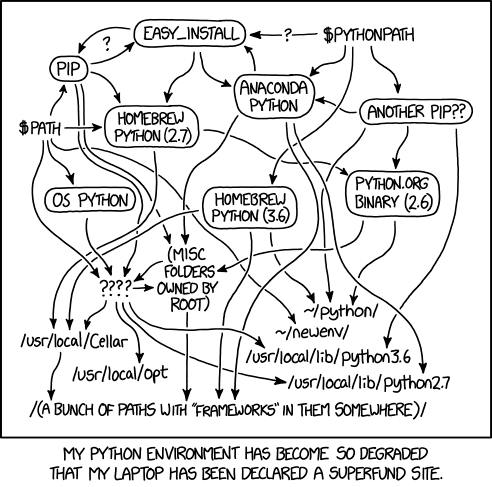
    The actual amount of time spent trying to fix it before giving up and removing every Ruby in existence was ~2 hours, so take my advice and make sure you are absolutely sure which Ruby you are running, and don’t install fastlane into your Ruby install; use bundler. Trying to fix it with things going who knows where…well, there’s always an applicable xkcd.

    You are in a maze of Python installations, all different

  • App Store Connect usability issues

    Allow me to be the Nth person to complain about App Store Connect’s lack of transparency, I’m currently working on an app for radiospiral.net’s net radio station, and I’m doing my proper dilligence by getting it beta tested by internal testers before pushing it to the App Store. I’m using TestFlight to keep it as simple as possible (and because fastlane seems to work well with that setup).

    I managed to get two testers in play, but I was trying to add a third today and I could not get the third person to show up as an internal tester because I kept missing a step. Here’s how it went, with my mental model in brackets:

    • Go to the users and groups page and add the new user. [okay, the new user’s available now].
    • Add them to the same groups as the other tester who I got working. [right, all set up the same…]
    • Added the app explicitly to the tester. […and they’ve got the app]
    • Mail went out to the new tester. [cool, the site thinks they should be a tester] [WRONG]
    • Tester installs Testflight and taps the link on their device. Nothing appreciable happens. [Did I set them up wrong?]
    • Delete the user, add them again. [I’ll set them up again and double-check…yes, they match]
    • They tap again. Still nothing. [what? but…]
    • Go over to the Testflight tab and look at the list of testers. Still not there. [I added them. why are they not there?] [also wrong]

    Much Googling and poking about got me nothing at all. Why is the user I added as an internal tester not there? They should be in the list.

    I went back to the page and this time I saw the little blue plus in a circle. I have to add them here too! Clicked the +, and the new user was there, waiting to be added to the internal testers.

    Sigh.

    So now I have blogged this so I can remember the process, and hopefully someone else who’s flailing around trying to figure out why internal testers aren’t showing up on the testers list will find this.

  • Reducing Google access for Pokemon GO

    Pokemon GO players on iOS: the new release today (7/12/16, in the App Store now) reduces the information it wants from your Google account from “full access” to your email and “know who you are on Google”. If you were already signed up, do this:

    • Go to accounts.google.com; log in if you’re not already logged in
    • Go to https://security.google.com/settings/security/permissions
    • Click on “Pokemon GO release”
    • Revoke privileges
    • Go to your iOS device
    • Download the updated app, wait for it to reinstall
    • Kill the app; if you don’t know how to do this, just power your phone off and back on again
    • Launch Pokemon GO; it’ll fail to get access to your account. THIS IS OK.
    • Tap “try another account”
    • Log back in with your Google username and password.
    • This time it should ask for only “know your email” and “know who you are”.

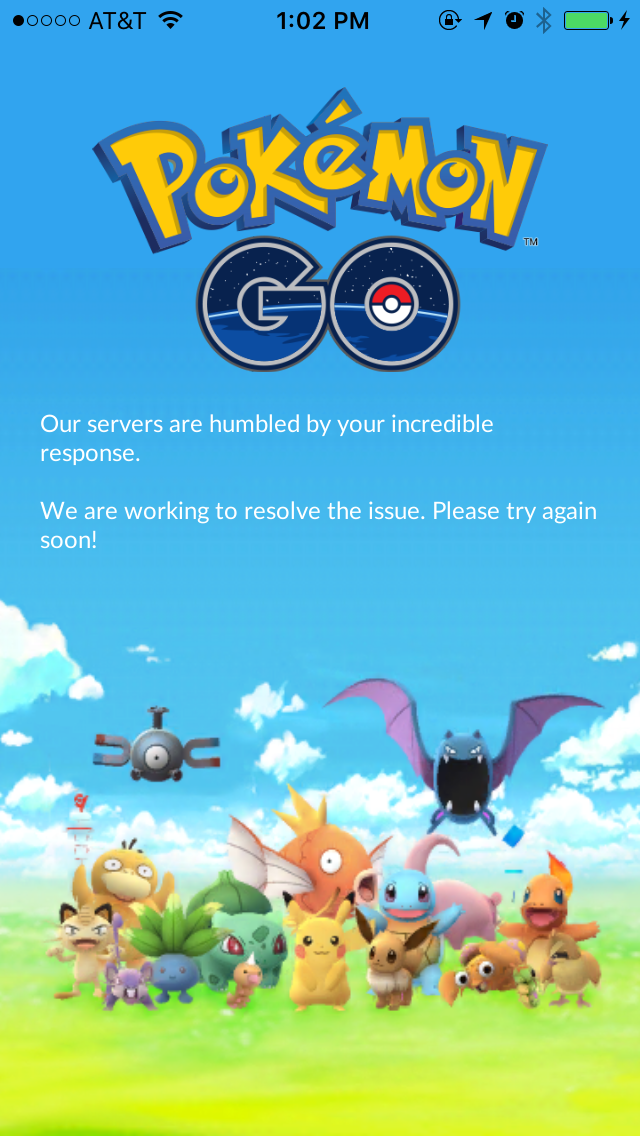
    At the time I write this, it looks like many people are doing this, as the Pokemon GO servers are rendering the server overload screen:

    IMG_2165

    For the paranoid: It sounds like the iOS programmers just screwed up and released without reducing the account permissions request; this is not a nefarious scheme to steal all your email and Google+ naked selfies. From Niantic (via Kotaku):

    We recently discovered that the Pokémon GO account creation process on iOS erroneously requests full access permission for the user’s Google account. However, Pokémon GO only accesses basic Google profile information (specifically, your User ID and email address) and no other Google account information is or has been accessed or collected. [Emphasis mine – JM] Once we became aware of this error, we began working on a client-side fix to request permission for only basic Google profile information, in line with the data that we actually access. Google has verified that no other information has been received or accessed by Pokémon GO or Niantic. Google will soon reduce Pokémon GO’s permission to only the basic profile data that Pokémon GO needs, and users do not need to take any actions themselves.

  • A few days with iOS 7

    tl;dr – I like it; looking forward to the GM.

    So, like every other iPhone user, I was *very* curious about iOS 7. As a developer, even more so. (Particularly, was I going to have to scramble to get my app working again under iOS 7?)

    So I took my backup and installed it. First impression is that it feels ever so much lighter, psychologically, than iOS 6. The “flattening” of the interface greatly enhances the experience; Microsoft was right on the money with that one. My experiences with Windows 8 only make me wish they could have committed even harder to it and gotten rid of the desktop altogether – but I digress.

    Some bugs, as expected, and I’ll be filing radars about them. In general, working pretty well, but there are a few showstoppers for me in this beta related to my day job. If it were not for those, I’d stick with it. Even with the crashes and hiccups, it’s that much of an improvement.

    My app does continue to work, and I’ve now, I think, spotted the problem that’s causing it to drop and resume streaming, so that was a benefit.

    Today I DFU my phone and return it to iOS 6 so I have a dependable device again, but it’s definitely a wrench. I’d much rather stay in the brighter, smoother, lighter world of iOS 7.